
 Tweet
Tweet
Control Center is the launch program for dBpoweramp / PerfectTUNES, it can be found by typing 'control center' when open the start menu, or by looking in Start >> All >> dBpoweramp [Image / Music / Video] >> dBpoweramp [Image / Music / Video] Control Center. On macOS look in Launcher:
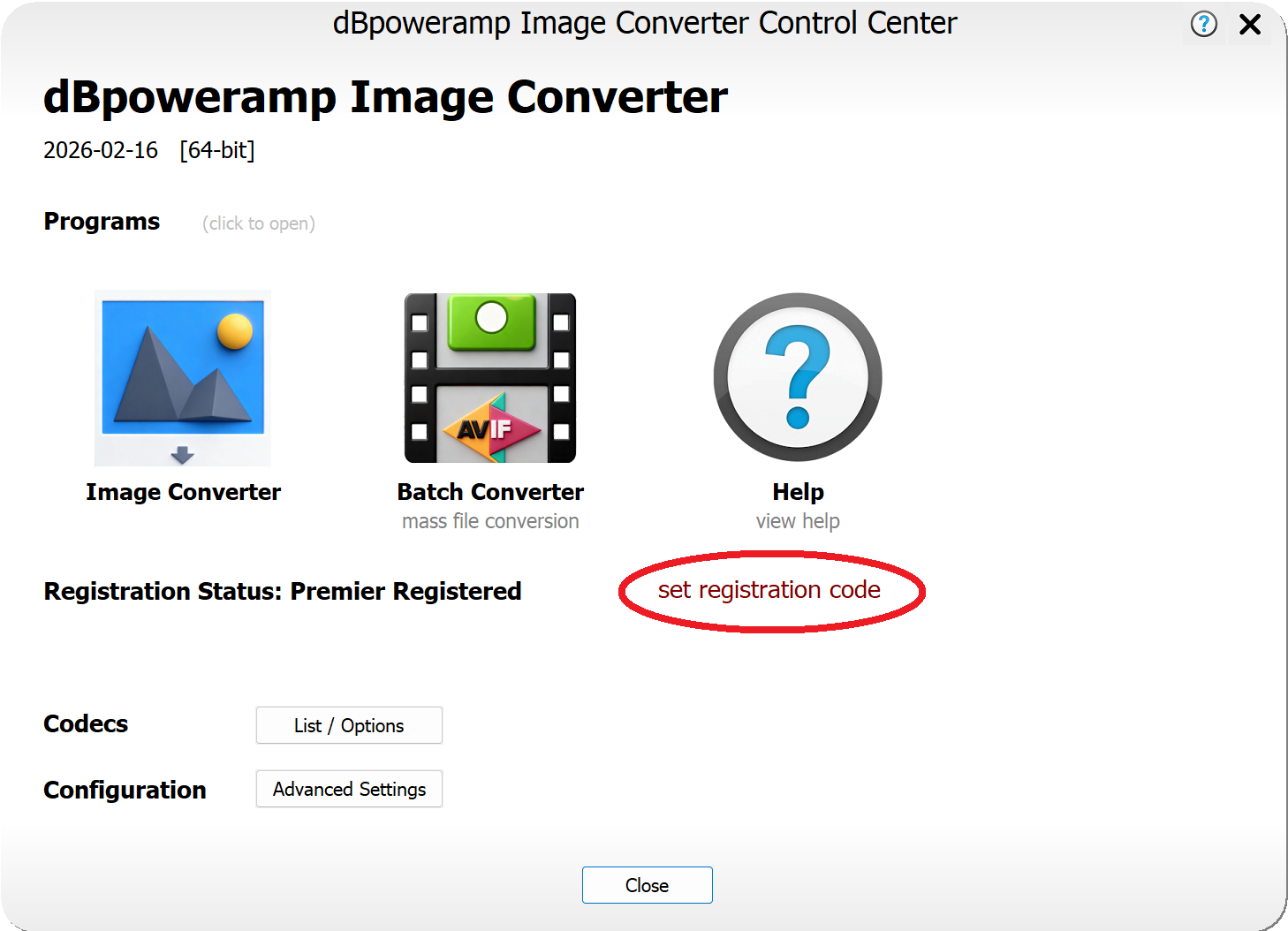
The area highlighted in red is where your order number is set. Note the programs are fully registered after install, however entering the order number will inform and allow automatic updates. Normally the registration code will be automatically set after install, however if renewing updates for Video or Music Converter you might need to update the order number. Here are the possible states:
If entered correctly:

Or

Here updates assigned to an order have expired:

Can be shown if not auto-set after install:

Click on the blue text (or red text, depending on program) and enter your new order number.
The area highlighted in red is where your order number is set. Note the programs are fully registered after install, however entering the order number will inform and allow automatic updates. Normally the registration code will be automatically set after install, however if renewing updates for Video or Music Converter you might need to update the order number. Here are the possible states:
If entered correctly:
Or
Here updates assigned to an order have expired:
Can be shown if not auto-set after install:
Click on the blue text (or red text, depending on program) and enter your new order number.