illustrate
Products            Buy            Support Forum            Registrations            About           
 

Latest Batch Ripper doesn’t have meta button.

Collapse
X
 
  • Time
  • Show
Clear All
new posts
  • Dax67

    • Dec 2024
    • 8

    #1

    Latest Batch Ripper doesn’t have meta button.

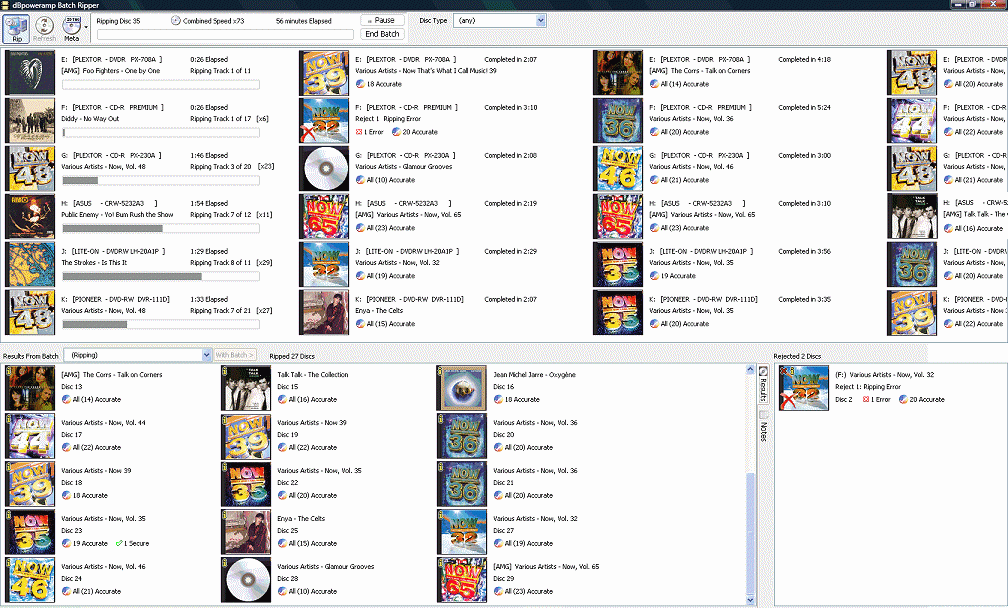
    Hello, I have the latest batch ripper and it doesn’t pick up the track or any other data. As the CD ripper works fine. How or where do I edit the meta provider? I have no button showing on the batch ripper to able to edit the meta providers.

    All the demo images on the help pages are showing an older version of batch ripper with the meta providers button showing.

  • Spoon
    Administrator
    • Apr 2002
    • 45766

    #2
    You can take a screenshot and upload to imgbb and post a link please.
    Spoon
    www.dbpoweramp.com

    Comment

    • Dax67

      • Dec 2024
      • 8

      #3
      I will have to do this tomorrow afternoon UK time. Thank you.

      Comment

      • Dax67

        • Dec 2024
        • 8

        #4
        Batch Ripper


        CD Ripper

        Comment

        • Spoon
          Administrator
          • Apr 2002
          • 45766

          #5
          That is batch converter, not batch ripper, install Batch Ripper:

          Spoon
          www.dbpoweramp.com

          Comment

          • Dax67

            • Dec 2024
            • 8

            #6
            OMG, I never notised. Thank you pointing out my mistake. All is working good. Thank you for you help.

            Comment

            Working...