View Full Version : Please.....Just shoot me! Flac Error
End my misery. I have been trying to burn an audio cd from .flac files on my hard disk.
I installed dbpowerAMP from Downloads.com, then tried to burn the cd. Incidentally, I changed the install loc. from the default of C:/Programs/Illustrate/dbpowerAMP to C:/Programs/dbpowerAMP
It came up with an error, this error and kept prompting me to download time after time.
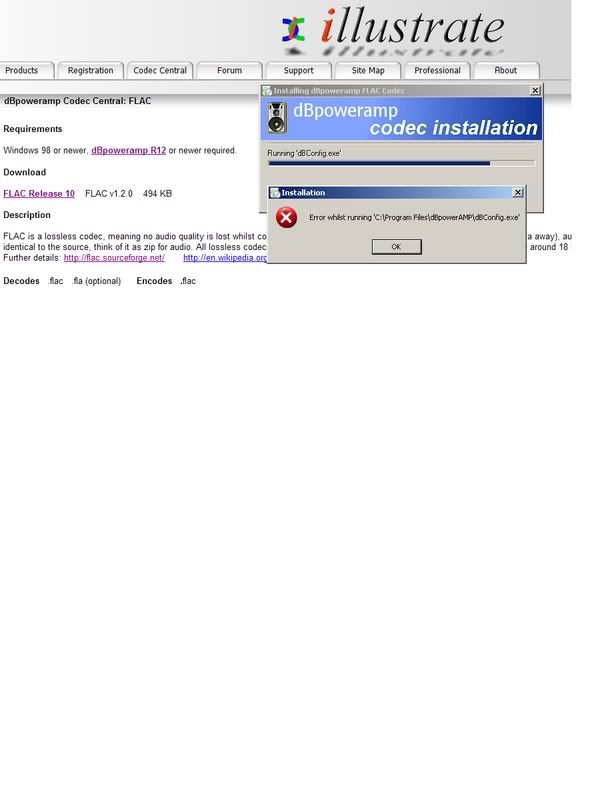
http://i96.photobucket.com/albums/l191/gregmadrigal/undbpowerAMPIssue.jpg
Please help, I am losing my mind.
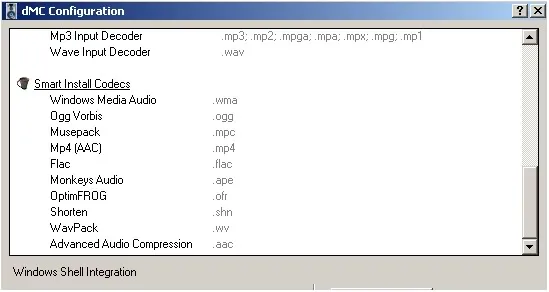
Here is my config info.
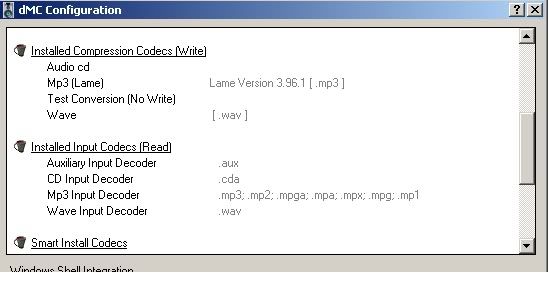
http://i96.photobucket.com/albums/l191/gregmadrigal/dbpowerampconfig1.jpg
http://i96.photobucket.com/albums/l191/gregmadrigal/dbpowerampconfig2.jpg
Greg
Spoon
12-14-2007, 04:09 AM
Uninstall All dbpoweramp, install R12, install CD Writer R3 from here:
http://forum.dbpoweramp.com/showthread.php?t=13579
Then install FLAC
LtData
12-14-2007, 06:43 PM
The problem is you are using dMC r11.5 and the codecs for dMC r12, as it says on the codec page. If you do as Spoon suggested, that should fix your problem.
Ok, thank you for your suggestions. I uninstalled EVERYTHING from my 'pooter, then restarted as prompted. I reinstalled from the link that was in Spoon's response. That seemed successful as I saw a newer looking version of CD writer. Then, I tried to install the Flac codec and I got THE EXACT SAME ERROR as in my first screenprint above. :headbang::headbang::headbang:
Maybe I am just not fully understanding what I need, what goes with what, or what I am missing here. I don't see that other program in my start menu either....I believe it was a converter program where you could browse music files from your C:/. I don't know if I even need that.
I am simply looking for a simple, and effective way to burn great audio CD's to include Mp3, Wav, & Flac files.
BTW, How does one place music into this CD writer....I don't get it. All I see is a big white space with no way to browse, and no dragging and dropping thru Windows.
Thanks again in advance for your help guys. :thumbup:
Gman
Spoon
12-15-2007, 04:31 AM
To add into CD Writer, right click on a file in Explorer >> Convert To >> Audio CD.
Install FLAC to the exact same location as Music Converter/
lossless dave
12-15-2007, 06:07 AM
I use Burrrn to do this job - its never let me down.
FREE Download from www.burrrn.net
Regards Lossless Dave
LtData
12-15-2007, 10:25 AM
gman, could you put a screenshot of the version numbers of dMC/dBpoweramp Configuration?
LtData, I am going to try and do my best here cuz there is weird sheist going on....Note that many of my icons have a generic windows icons. When u click 'em, they just search, and search.......
http://i96.photobucket.com/albums/l191/gregmadrigal/DB3.jpg
Something MUST BE missing Spoon, cuz when I right click on a music file now, I do not get the "convert to" option as I did on my first go round.
Again, I simply uninstalled everything, then went to Spoons link and downloaded thta, then the Flac codec from the mainpage....I MUst be missing something then, right?
Thanks Lossless Dave I actually tried Burrrn but could not get it to burn these particular Flac files to cd. Got a possible run buffer error or something like that. I am sure Mp3's will be just fine tho.
Thanks again, Greg
Spoon
12-15-2007, 12:43 PM
Your Music Converter install is missing, try reinstalling it.
Wayne
12-15-2007, 01:25 PM
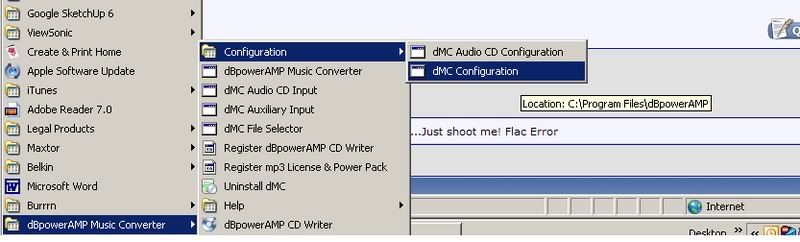
Those shortcuts appear to belong to dMC r11.5 and the dBpowerAMP CD Writer R2.
It also looks like the objects they should point to are not where they should be. After you uninstalled everything did you check that all the shortcuts were removed?
If I were you I would uninstall everything again. Check that everything has been removed before attempting to install r12 of dMC and the latest beta version of CD Writer, followed by the latest flac codec. See link from Spoon above for CD Writer. Do not change the default installation path.
vBulletin® v3.7.0, Copyright ©2000-2008, Jelsoft Enterprises Ltd.